
It just happened again. I was listening to a webinar – about 20 minutes into it and checking a few things in the background as I listened (you do know that everyone multi-tasks on a webinar, right?) So I sign up for an offer and a small window pops up with the standard Aweber “you need to confirm your email so watch for it” message. I close the window.
And boom! My entire browser closes! Yes, for SOME reason, the standard aweber confirmation window resizes your browser – your ENTIRE browser – to make it look like a little popup in the upper left corner of your screen. The first instinct is to close that irritating popup.
So please – if you use aweber as your autoresponder service (I do for some of my optin pages), do NOT use their default confirmation page. Instead, create a custom landing page of your own. Technically you should have a custom landing page for each autoresponder sequence. If you do a lot of work with aweber, then at least create your OWN custom landing page where you can send all of your messages.
Money-making tip: Any time you send someone somewhere after they optin, it should either be to a sales page or to a custom confirmation that that has an offer on it. At least go over and pick up an affiliate banner and add it to the page! Otherwise, you’re just giving away money – and irritating your subscribers at the same time by having that default confirmation window.
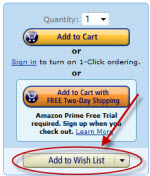 So I’m shopping for holiday gifts and adding a few things to my wishlist at Amazon, when I notice I can use their Wishlist plugin on Firefox to add ANYthing from ANY site to my wishlist.


Look Who's Talking